

Online exam builder
Start with a ready template: add a section, pick questions from the bank and set the points. Review everything on one screen before you publish.
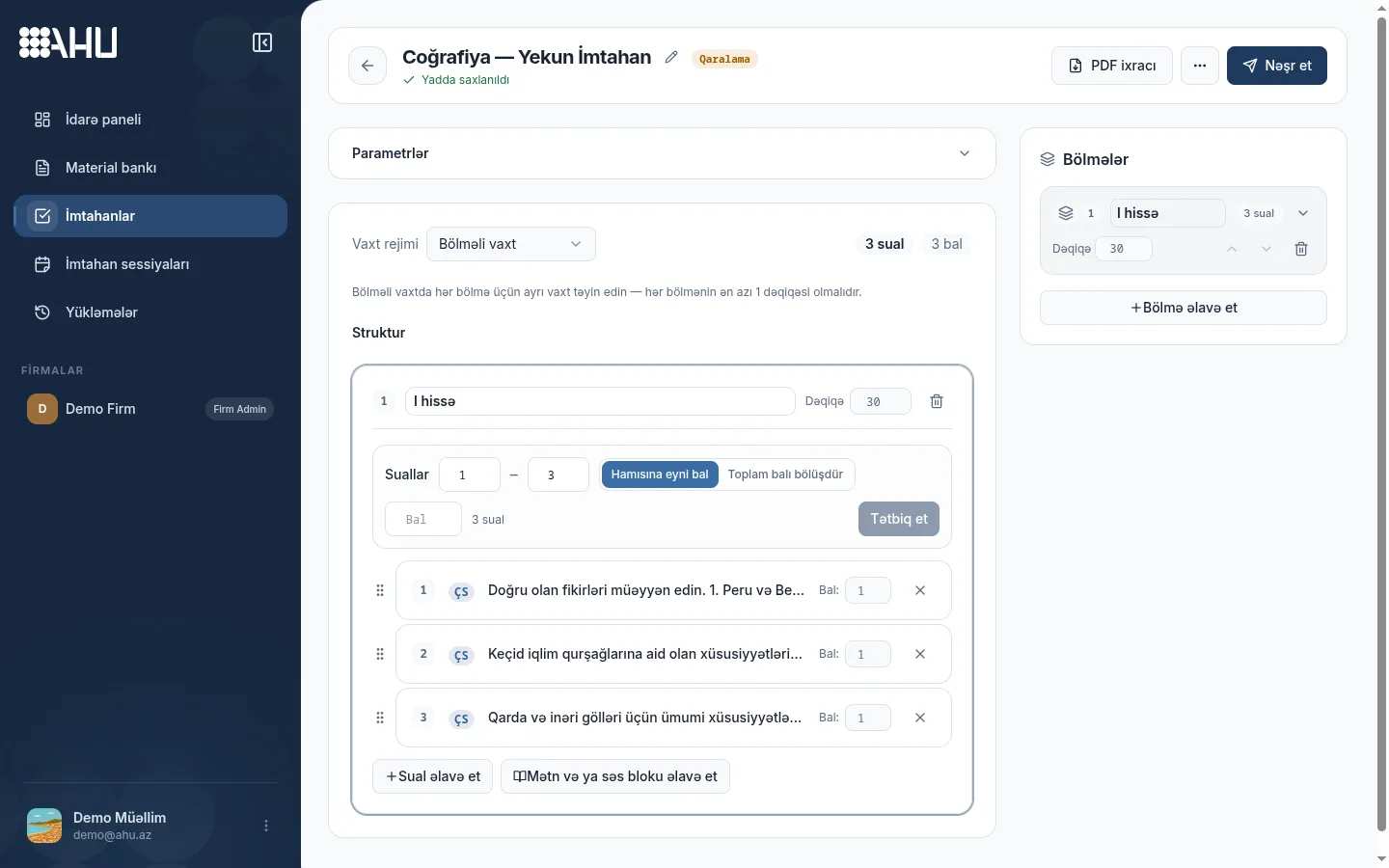
Visual builder
Exam settings sit on the left, sections on the right, and Save and Publish at the top. Set time per section, pick questions from the bank and see each question's points.
Drag questions to reorder them. Set one score for the whole section or give each question its own; a text or audio block is added once for all its questions.
The exam is first saved as a draft and published only when you decide. Thanks to the “Saved” marker in the header, you can leave the work unfinished and continue later.
- Time per section: each section gets its own minutes
- Questions are picked from the bank, not retyped
- Changes are saved and shown in the header
8 question types
Each type has its own answer format. You can use different types side by side in one exam.
-
Multiple choice
One correct answer, several options. The fastest format for everyday quizzes.
-
Multiple answer
Several correct answers are marked in the same question.
-
True/False
A short check question with two options.
-
Short answer
The student writes a few words, and the answer is graded automatically.
-
Long answer
Essay-style text; the teacher grades it by hand.
-
Fill in the blank
The blanks in a sentence are completed.
-
Matching
Pairs are built between two columns; one element can match several elements.
-
Numeric answer
The student enters a number; it is checked with a small tolerance for SAT Math.
Import from PDF and images
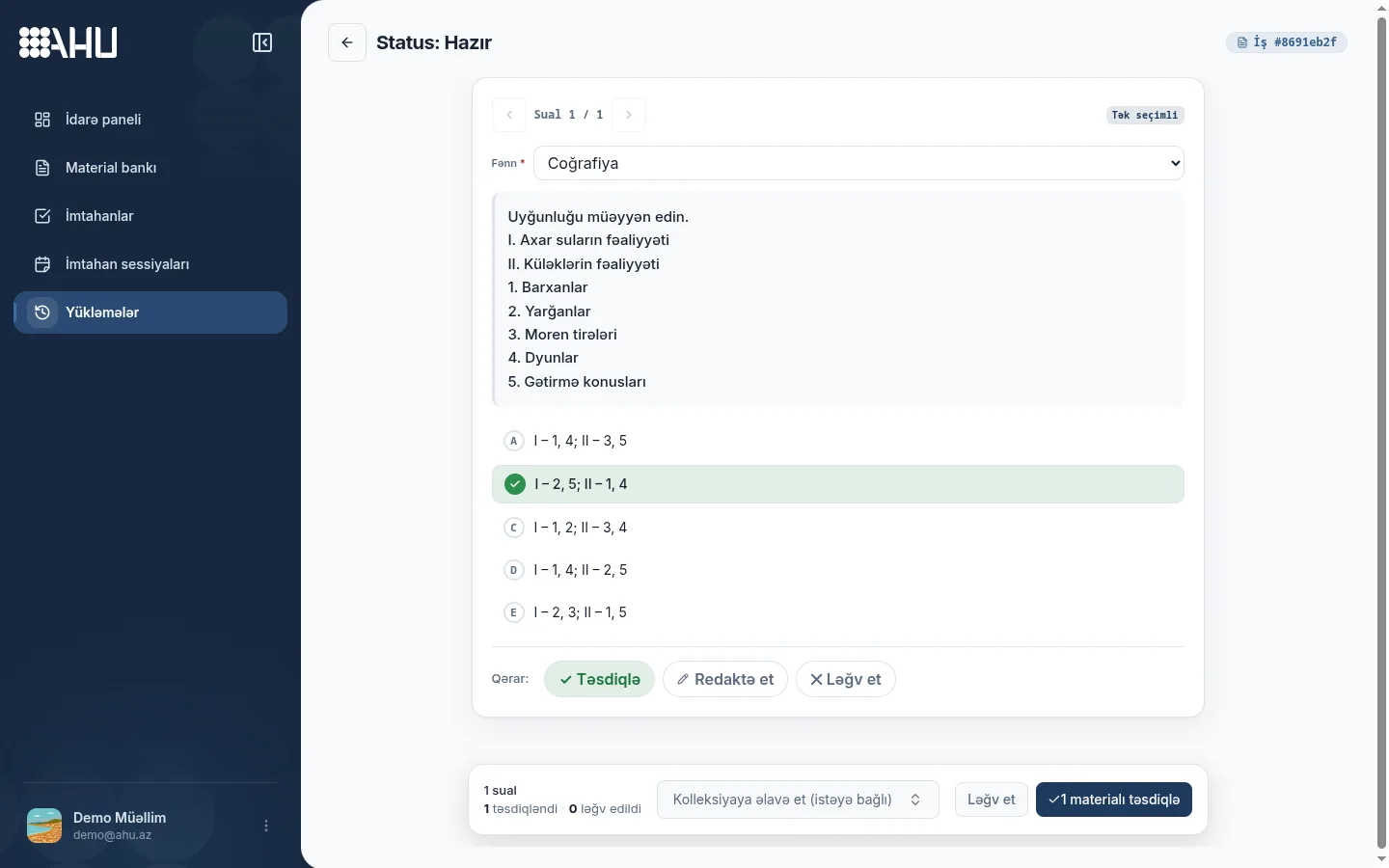
Upload a PDF or photograph a page: Ahu reads the text, tables and formulas and sends the questions to a review screen. You just check and confirm.
Open each question, choose the subject, fix the text, check the options and mark the correct answer. Edit or discard a bad recognition; nothing enters the bank before you confirm.
-
Upload: choose a PDF document or an image of the page.
-
Review: open each question and fix the text, options and answer.
-
Confirm: only confirmed material is written to the bank.
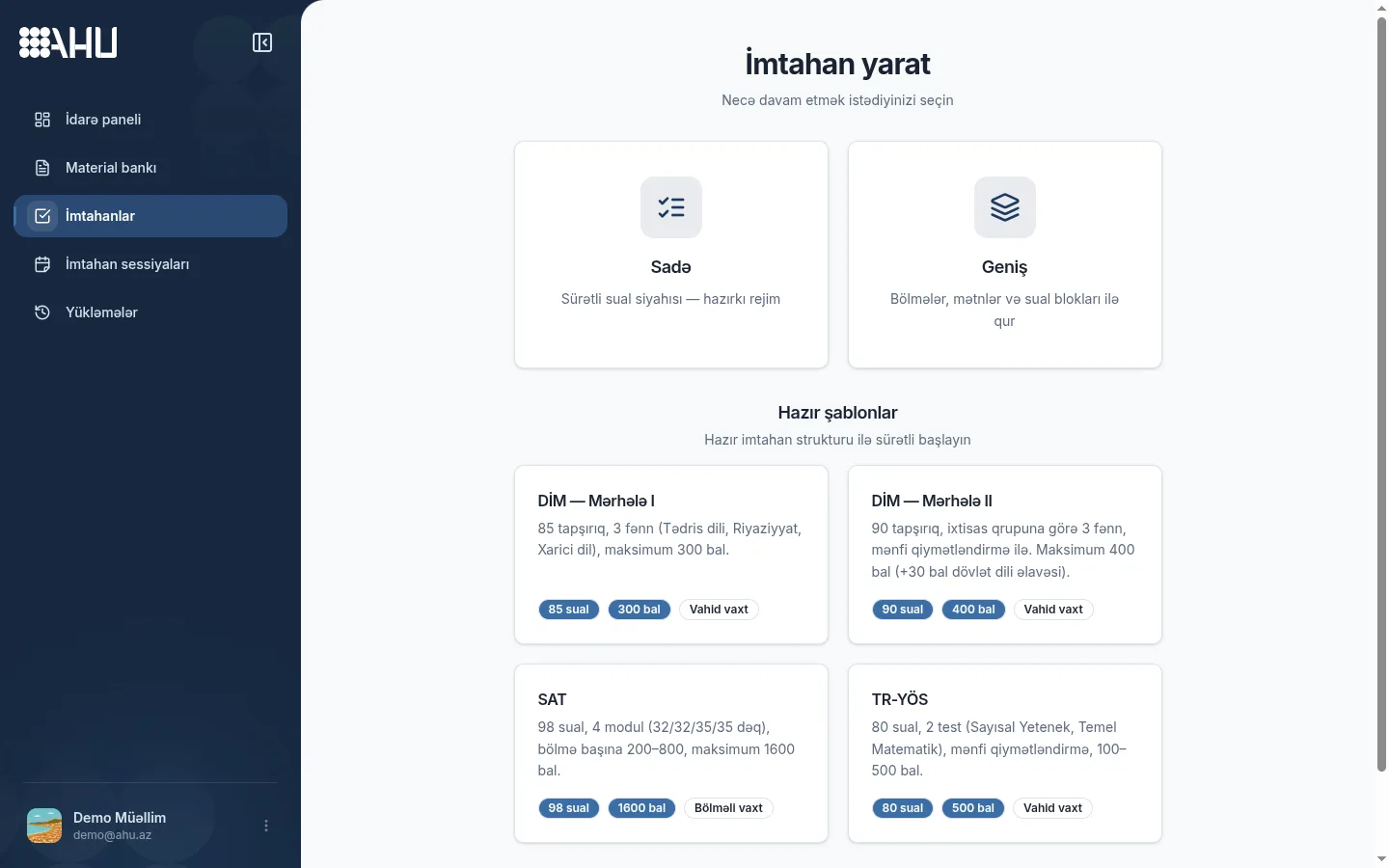
DİM I/II, SAT and TR-YÖS templates
A template beats a blank page: DİM I, DİM II, SAT and TR-YÖS come with subjects, modules, slots and section times ready. Fill them from the bank; the builder shows what is left.
Each template scores its own way: DİM II and TR-YÖS use negative marking. DİM I gives 300 points over 85 tasks, SAT up to 1600 for correct answers, TR-YÖS 100–500 over 80 questions.
If you do not want a template, build sections and questions from scratch in “Advanced” mode. Both paths work in the same builder.
- DİM I · 85 tasks · 300 points
- DİM II · 90 tasks · 400 points
- SAT · 98 questions · 1600 points
- TR-YÖS · 80 questions · 100–500 points
Sections, text blocks and points
The right panel holds the list of sections: each section's name, minutes, question count and points. The total score updates immediately.
- Question text MC 1 points
- Question text MC 1 points
- Question text MC 1 points
Builder panel preview: Part I, 30 minutes, 3 questions and 3 points in the demo exam.
-
Add a section
Give each section a name and minutes. In “Sectioned time” mode each section starts and ends with its own timer.
-
Attach a text block
A reading text or audio file is uploaded once, and all questions in the section refer to it. There is no need to repeat a long text in every question.
-
Set the points
Give the whole section the same points or each question its own. The total score and question count appear at the top of the panel.
Review before publishing the exam
A published exam becomes ready for use in sessions. That is why the builder first offers four short checks.
-
Section times
Do each section's minutes and the total time match the plan?
-
Question count and points
Are there no empty slots left, and is the total score as expected?
-
Text and audio blocks
Is every text attached to its section and visible to the questions?
-
Answer key
Is the correct answer marked for every closed question?
Frequently asked questions
How does the exam builder work?
You build an exam in two steps: sections, time and points first, then questions from the bank. Changes save automatically; the exam goes live in sessions only after Publish.
Which question types are there?
Eight types: multiple choice, multiple select, true/false, short answer, long answer, fill in the blank, matching and numeric answer. You grade long answers by hand; the rest are automatic.
Are there DİM, SAT and TR-YÖS templates?
Yes. DİM I (85 tasks, 300 points), DİM II (90, 400), SAT (98 questions, 1600) and TR-YÖS (80, 100–500) are ready; structure and times are fixed, questions come from the bank.
Can I import from PDF and images?
Yes. Upload a PDF document or an image of the page, and the system recognizes text, tables and formulas. You can edit or discard each question before confirming it on the review screen.
Can I add a text block and a section?
Yes. A section is given a name, minutes and points, and a text or audio block is attached to it. A long reading text is uploaded once and all questions in the section use it.
Related pages
Build your first exam from a template
Choose the DİM, SAT or TR-YÖS template, place questions from the bank and publish the exam in a few minutes. The Free plan is enough to try the builder.