

Online exams for prep centers
A firm account brings the work of the team together. Categories divide teachers, roles define permissions, and student groups show who can join which exam. All of it runs on the same material bank, exam builder and results system.
The firm space
A firm member gets a space separate from the personal dashboard: its own menu, content lists and team view. One teacher can join several firms with different roles and switch between them.
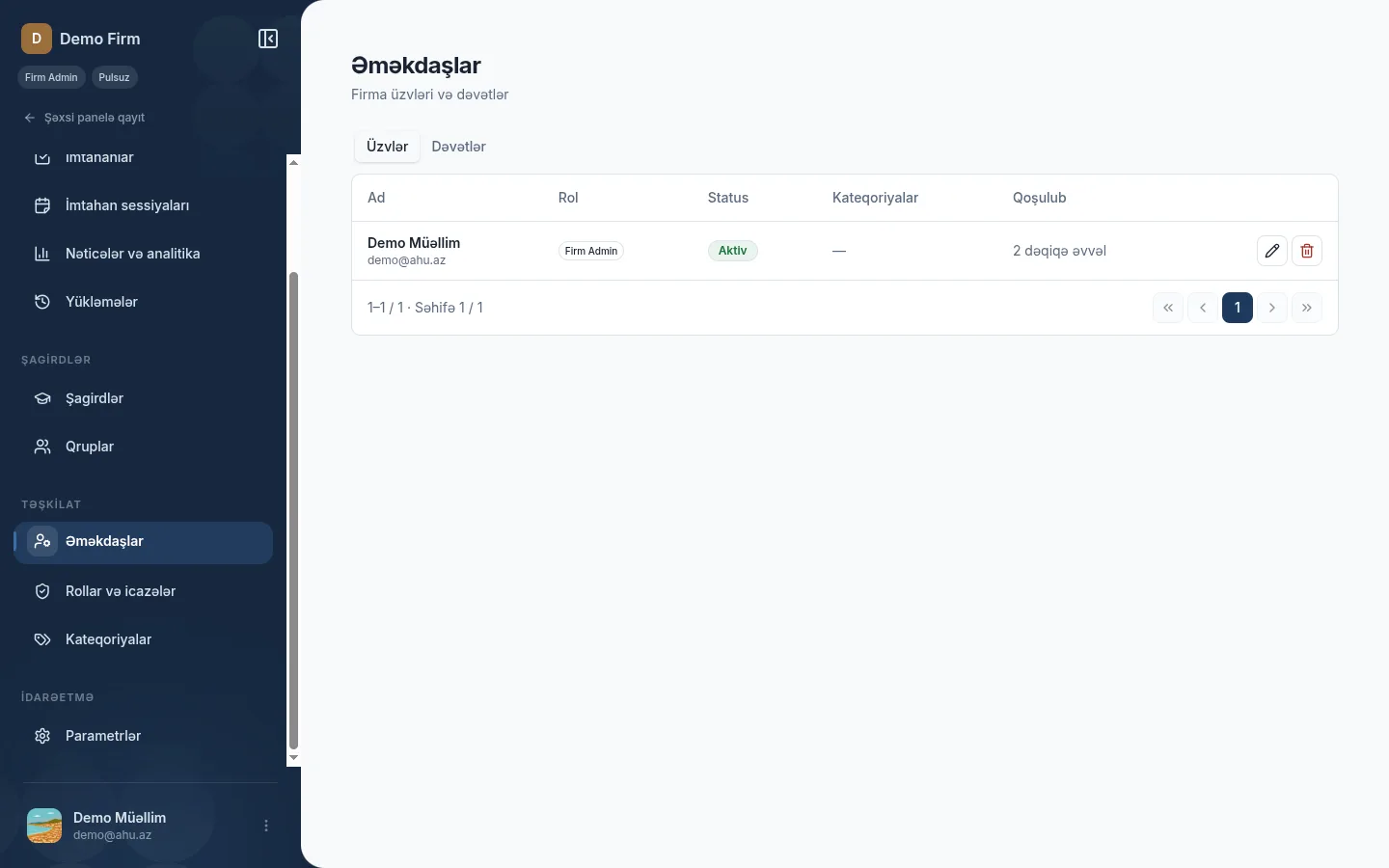
Support creates the firm account and the founder is Firm Admin; no self-registration. Firm Admin invites staff by email and assigns role and category; the table shows role, status and join time.
- The firm space runs with its own side menu, separate from the personal dashboard.
- Firm and personal content never mix.
- The invite link can be copied, expires, and a pending invite can be cancelled.
Categories
A category groups teachers by subject, grade or branch inside the firm. One teacher can sit in several categories.
Each category has its own page with a member list, and the staff table shows each teacher's category. Deleting a category keeps its members; only the link is removed.
Category management comes with firm plans: Firm Standard and Firm Premium. Until a plan is activated, you cannot create materials, exams or events on a firm account.
Categories divide teachers; student groups are a separate structure.
Category tree
Firm
- Mathematics Member page
- Grade 11 Member page
- Online branch Member page
One teacher can sit in several categories.
Teacher roles
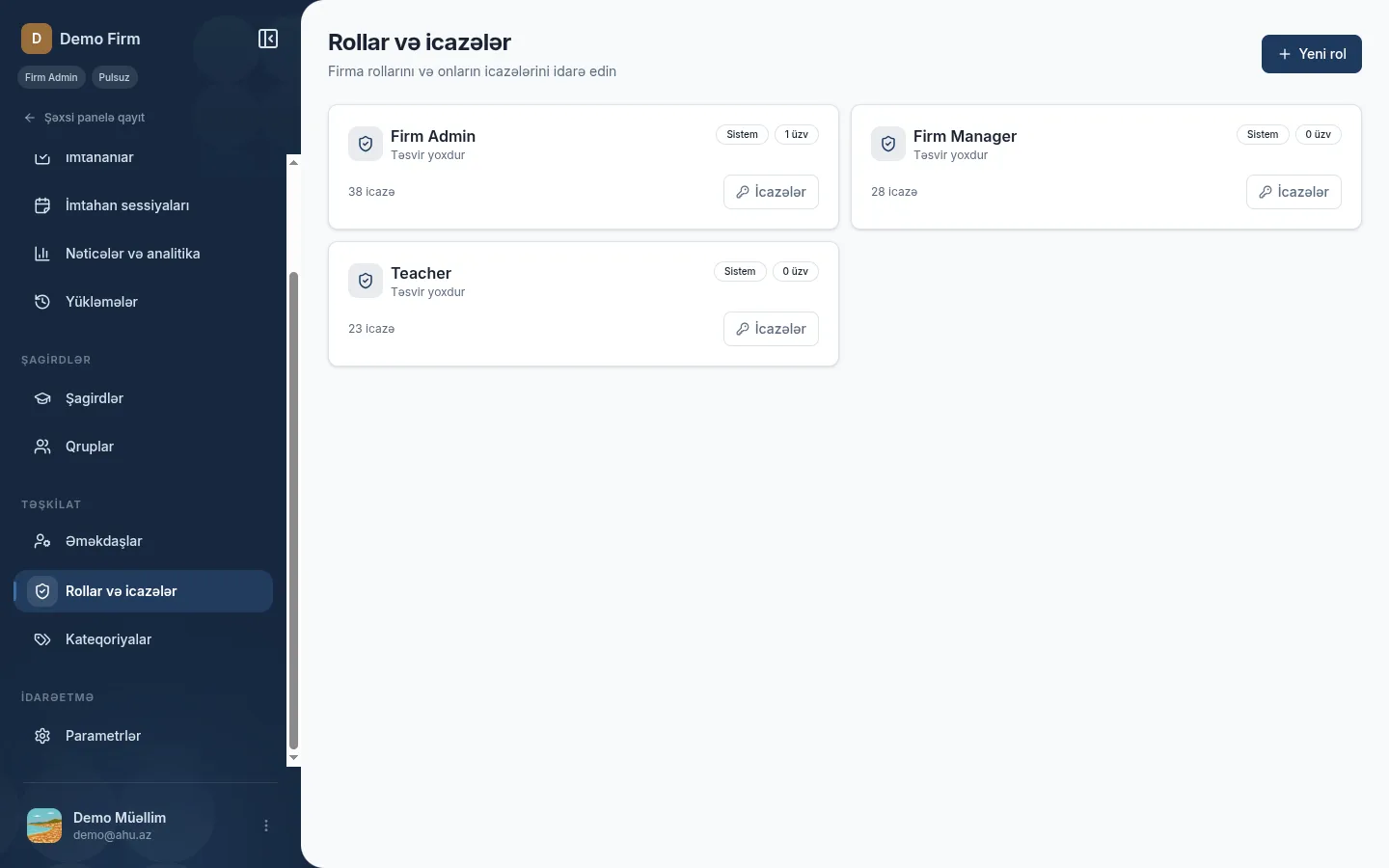
Every firm has three system roles, and Firm Admin can add custom ones. Permissions are stored per firm, so the same role name can work differently in two firms.
-
Firm Admin
System role · anyHas all permissions and works everywhere with the any boundary. The role is fixed: it cannot be deleted or renamed. A firm cannot remain without an active Firm Admin.
-
Firm Manager
System role · anyManages materials, exams, sessions and results with the any boundary; also works with categories, students and groups. Member invitations and role administration are not part of this role.
-
Teacher
System role · ownSees firm content but changes only its own resources with the own boundary. The role is selected when an invitation is sent, and the rights of the member come from that role.
-
Custom roles
Created by Firm AdminFirm Admin creates a role and picks its permissions: for example, an exam moderator who only manages sessions and reads results. Resource permissions get an own or any boundary.
Student groups and the participation allowlist
A student group is a named roster from the firm's student list: name, category, responsible teacher and member count. Every student needs an email because the allowlist works through email.
A group exam can limit participation to one or several groups. Only a signed-in student with a verified email on the roster gets in; knowing the code is not enough.
- An allowlisted exam always requires signing in.
- When the group roster changes, access changes immediately.
- 01
Group selection
Only the allowed groups are attached to the event
- 02
Account
Signing in with a student account is required
- 03
Email
The verified email is matched against the group roster
- 04
Live check
A roster change applies immediately
A student without an email on the roster cannot join an allowlisted exam.
Group exams and variants
A group exam runs on a code: students enter it and their names, then wait. You start everyone at once, the server keeps time, and the participant limit comes from your plan.
Variant mode takes 2–26 exams; each becomes a variant labeled A, B, C and goes to students at random. Shuffling stays inside the variant, and the live dashboard shows each student's letter.
Variant matrix
2–26 exams- Student 1 A
- Student 2 B
- Student 3 C
- Student 4 B
- Student 5 A
- Student 6 C
Example distribution: every student gets one random variant.
Results for firms
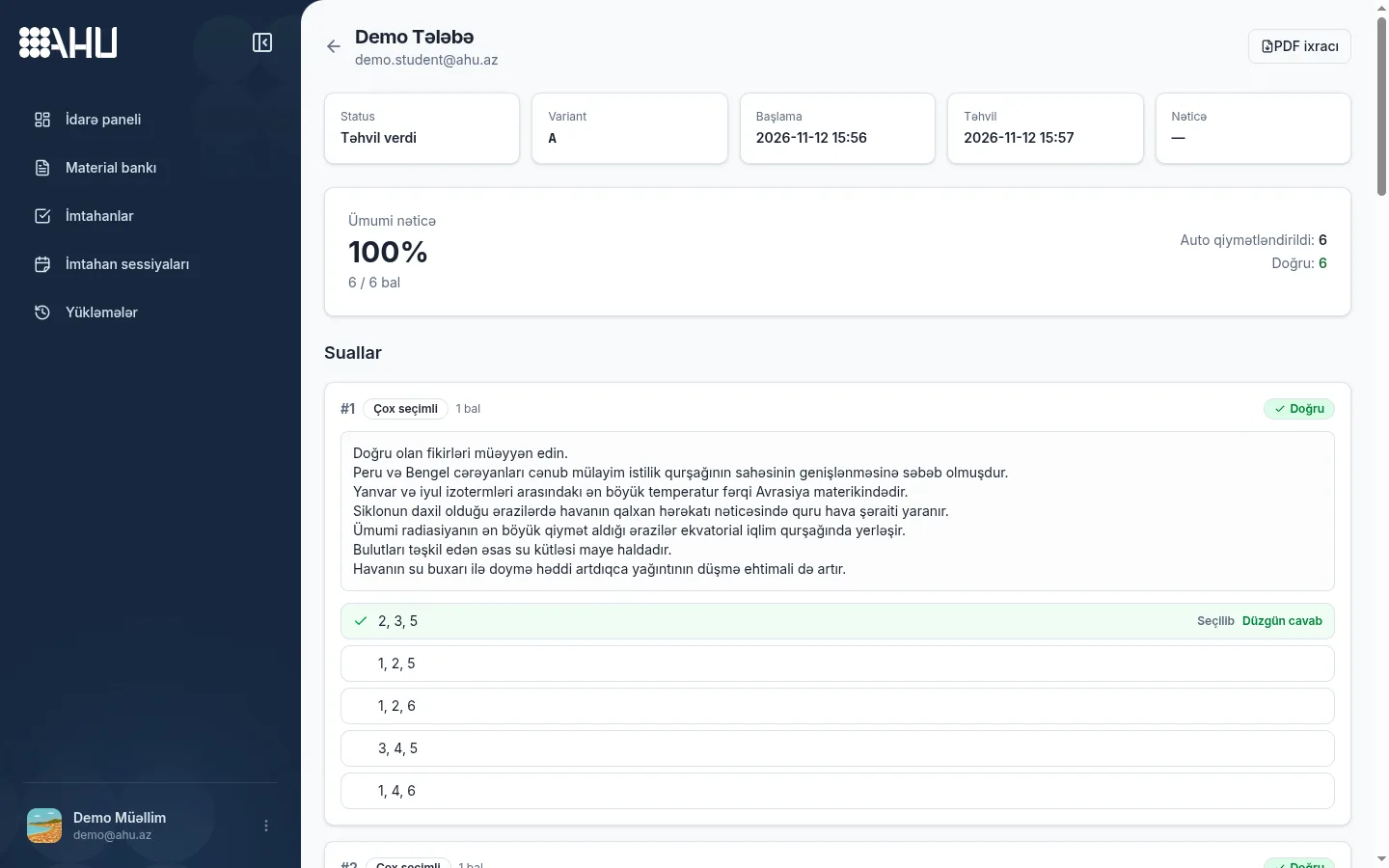
Firm results are not a separate system: the same calculation, question analysis and violation log apply. As soon as the exam ends, the score, percentage, variant and time of every student are visible.
Viewing and correcting results depends on your role: Firm Admin and Firm Manager see all firm results, while Teacher sees only their own exams. The PDF report comes with both firm plans.
Firm plans
Firms get two plans: Standard and Premium. They differ in teacher seats, active exams and students per exam; limits are on the plan sheet, pricing comes from support, longer billing gets a discount.
Firm Premium gives larger groups and unlimited active exams. Change the plan under Subscription, apply a promo code at checkout, and ask support if you are unsure.
Ahu support creates the firm account; write to support@ahu.az about the plan and payment.
Firm Standard
Contact support
30 teacher seats
2000 active exams
500 students / event
Firm Premium
Contact support
150 teacher seats
Unlimited
2000 students / event
Frequently asked questions
How can a firm account be opened?
Ahu support creates the firm account and sends a Firm Admin invite to the founder; whoever accepts becomes the first admin. To start, write to support@ahu.az.
What are categories for?
Categories divide teachers by subject, grade or branch. Each category has its own page with a member list. Category management comes with firm plans.
What is the difference between Firm Admin, Firm Manager and Teacher?
Firm Admin is a fixed role with every permission. Firm Manager runs materials, exams, sessions and results with the any boundary but not members or roles; Teacher changes only their own resources.
How do student groups and the participation allowlist work?
Every student in a group needs an email. When participation is limited to selected groups, only a signed-in student with a verified email on the roster can join, and the check is live.
How is a group exam with variants set up?
When you create the event, you pick 2–26 exams; each becomes variant A, B, C in selection order and goes to students at random. Shuffling stays inside each student's variant.
Related pages
Choose the right plan for your firm
Ahu support creates the firm account. Contact us to set up categories, roles and student groups. Plans and limits are on the pricing page.