

Online exam platform
Bring together questions scattered across Word files, WhatsApp groups and USB drives. Build a bank, assemble an exam, run it with a code and see the result immediately.
System map
-
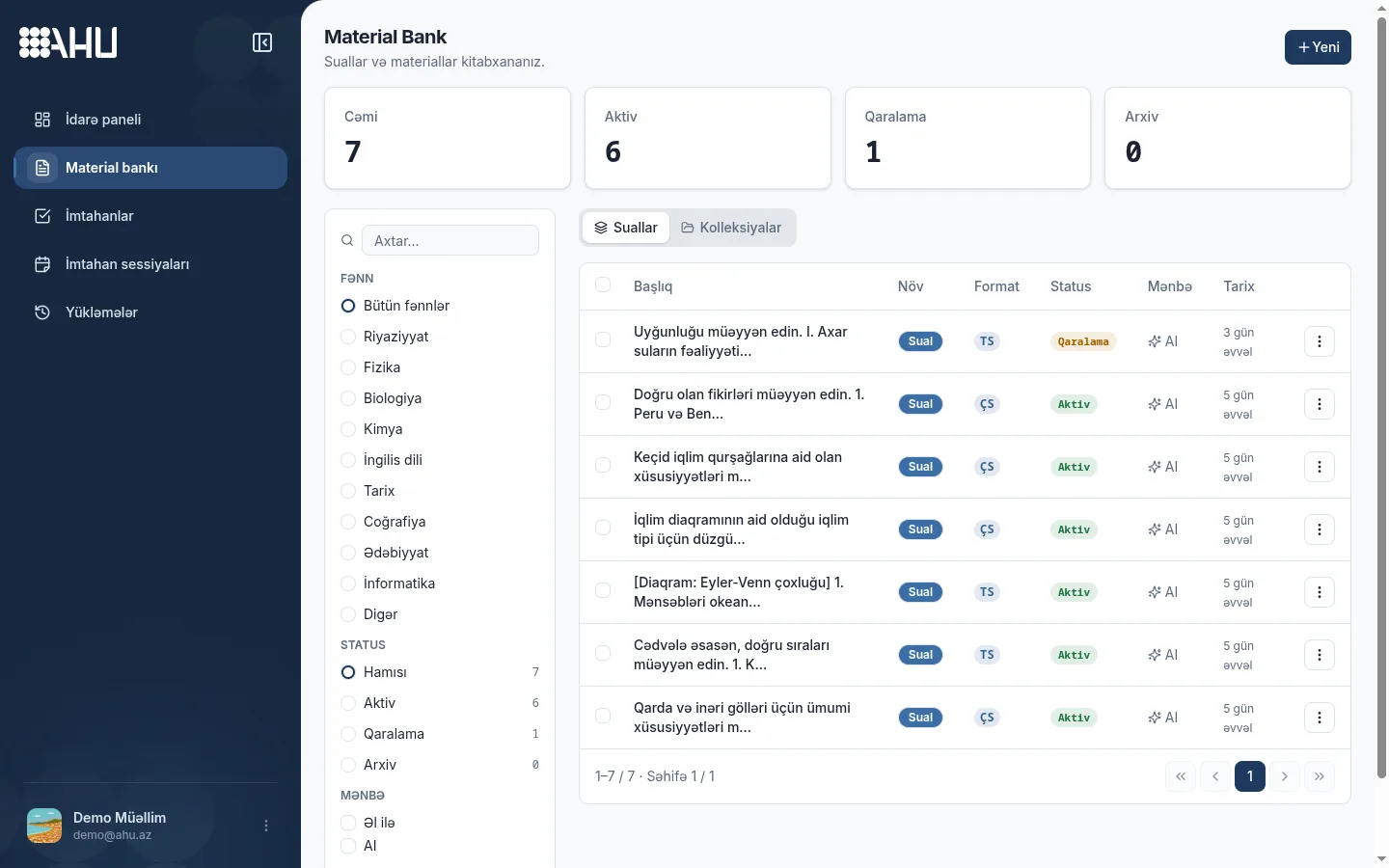
Material bank
One bank from PDFs and images
-
Exam builder
8 question types, ready templates
-
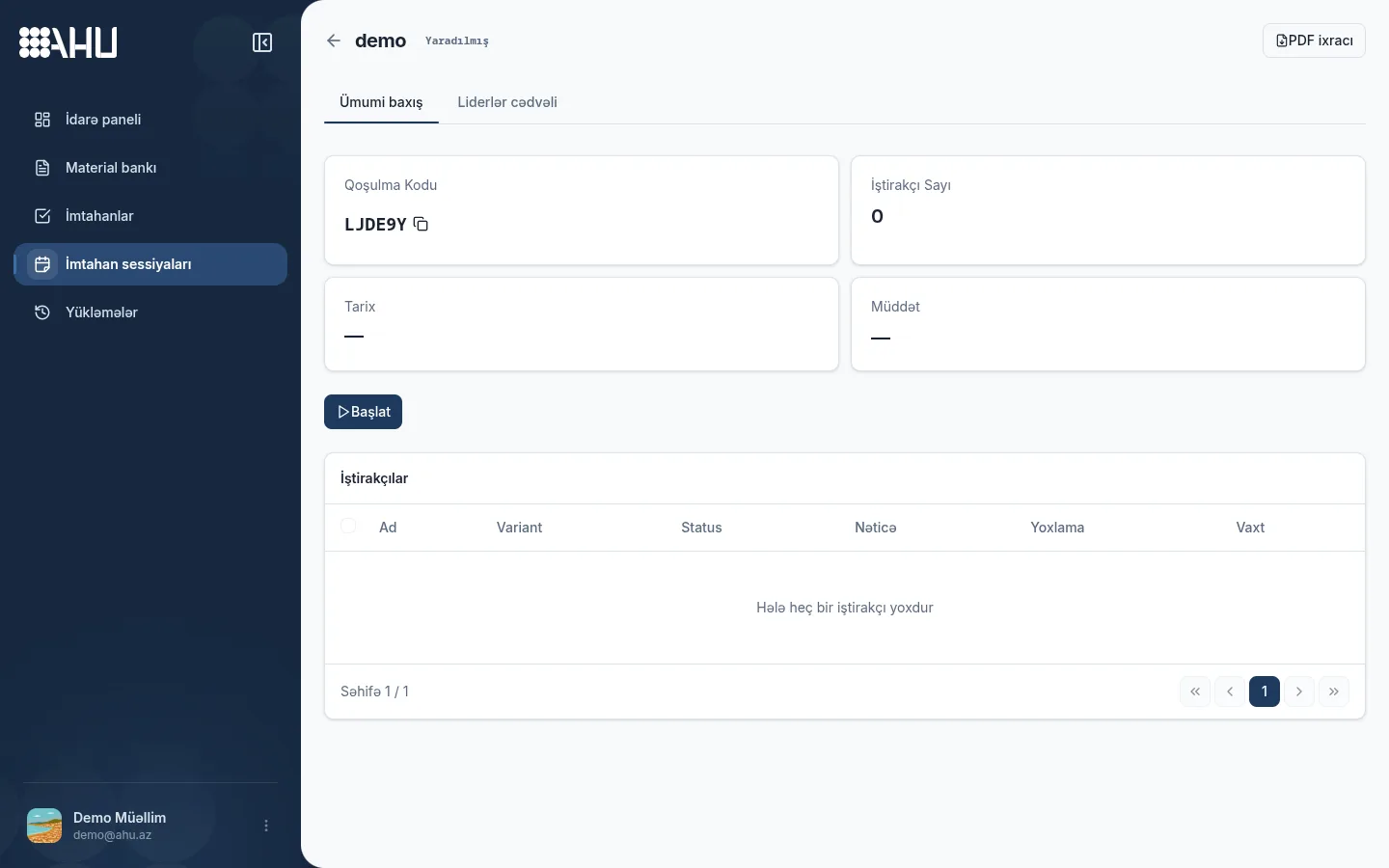
Live session
Group exam joined with a code
-
Results
Report ready when the exam ends
Scattered materials, one place
Upload a PDF file or a page photographed with your phone. The system recognizes text, tables and formulas. You review and confirm every question before it is saved.
Material is uploaded once and reused in any exam. The bank filters by question type, topic and language, and images stay attached to their question.
- 8 question types: multiple choice, multiple answer, true/false, short answer, long answer, fill in the blank, matching and numeric answer
- AZ, RU and EN texts are kept in the same bank
- Recognized material enters the bank only after confirmation
The teacher builds, the student joins with a code
The exam builder shows sections, text blocks and points on one page. A ready exam opens in a session, and the student simply enters a name to join.
-
Build
Pick questions from the bank, arrange them into sections, set the time limit and the pass mark. With DİM I/II, SAT and TR-YÖS templates you do not start from a blank page.
-
Publish and share the code
Publish the exam and send the join code to students. The student clicks the link or types the code.
-
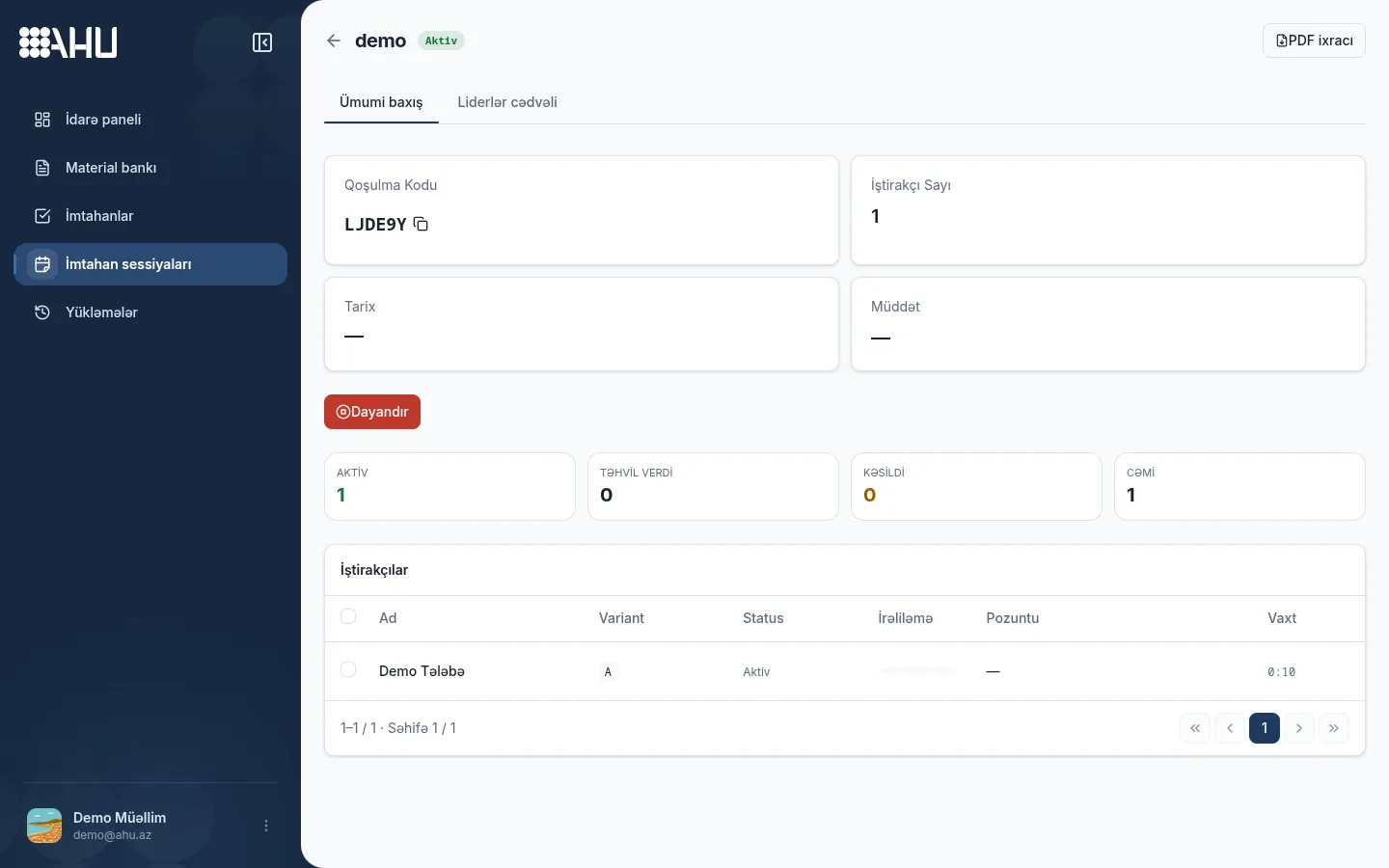
Run and monitor
The waiting room shows how many have joined. When the exam starts, progress, activity and violations appear live on the dashboard.
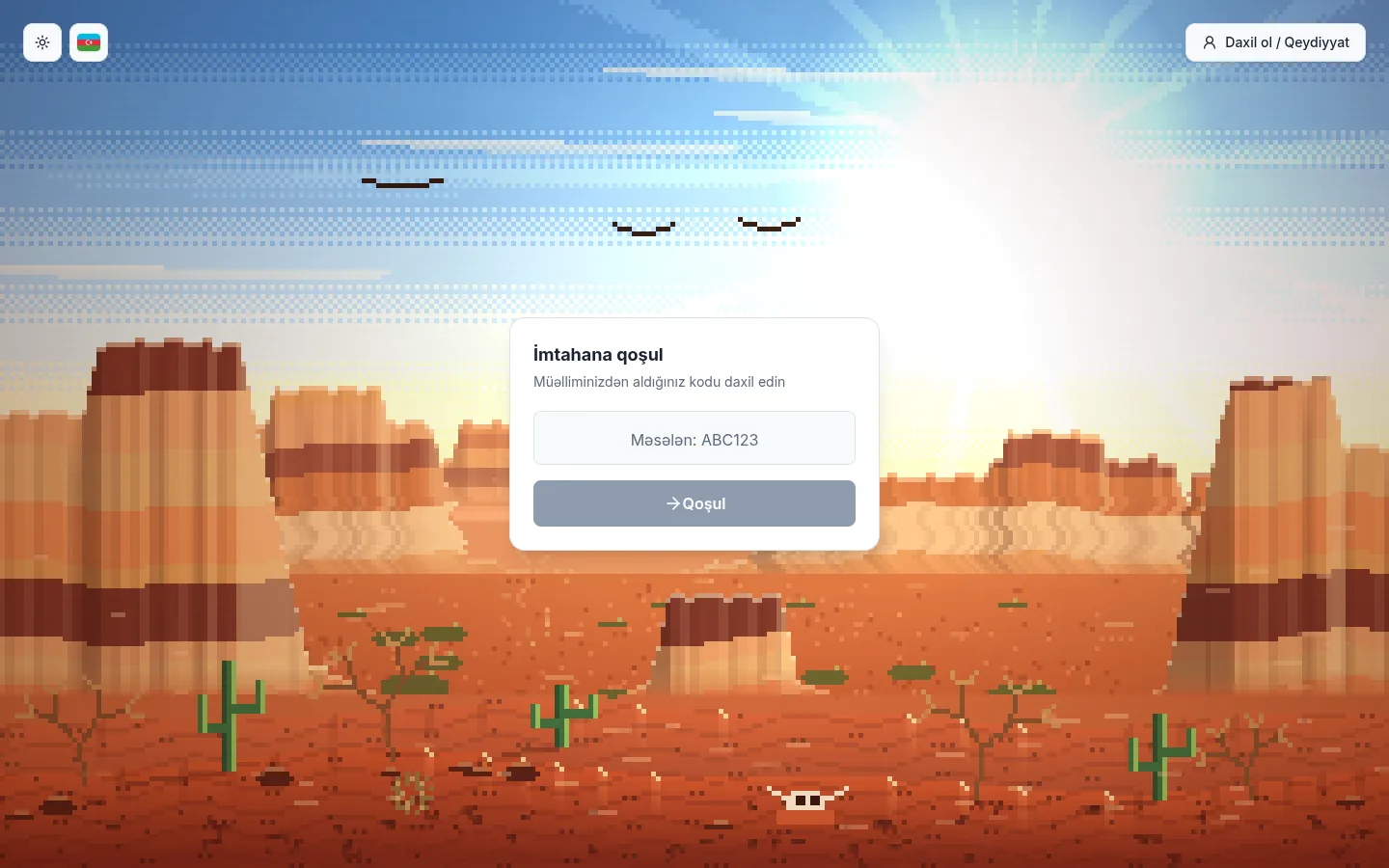
Joining and the waiting room
The student side is simple: a name, a code and a start button. The teacher sees every join live.
Parts of the platform
All parts work in one account and complement each other.
-
Material bank
Questions, text blocks, images and tables are kept in one place.
-
Exam builder
Sections, points and the time limit are set in a visual builder.
-
Live session
A group exam opened with a join code, a waiting room and live monitoring.
-
Anti-cheat
Three modes record signals such as tab switches, copying and multiple IPs.
-
Results
Score, percentage and per-question analysis are ready as soon as the exam ends.
-
Pricing
Sole teacher and firm plans are managed in the same account.
-
Teachers and firms
A sole teacher manages their own bank, while a firm builds its team with categories and roles.
Integrity: a signal without a webcam
- Off
- Warning
- Strict
Ahu watches only what happens in the browser: tab switches, leaving the window, copying, exiting full screen and signing in from several IPs. No camera, microphone or screen recording.
Off mode only records. Warning mode delivers every event to the teacher live. Strict mode closes the session automatically once the threshold set by the teacher is reached.
Every event is written to the journal with the student's name, time and session state. After the exam, the teacher filters the journal and decides which event was a real violation.
Strict mode starts from the Professional plan for sole teachers, and from the Standard plan on firm plans.
How a variant exam works
2–26 variants
Choose 2–26 separately published exams for a session. Each becomes a variant labeled A, B, C and goes to students at random, so neighbors may get different exams.
Variants are not copies: each has its own questions and structure. Shuffling changes the question order, not the variant, which makes it harder for one answer to spread in a large group.
Each seat gets a random variant
Exams remotely, from home
Students install no software. They open the link on a phone or computer and enter their name. You can share the code and link by WhatsApp or email before the exam.
Both the code and the link lead to the same session. The teacher sees who has joined in the waiting room and starts the exam when everyone is ready.
The time limit is calculated on the server. The device clock or the browser window does not change the result.
Results when the exam ends, not after
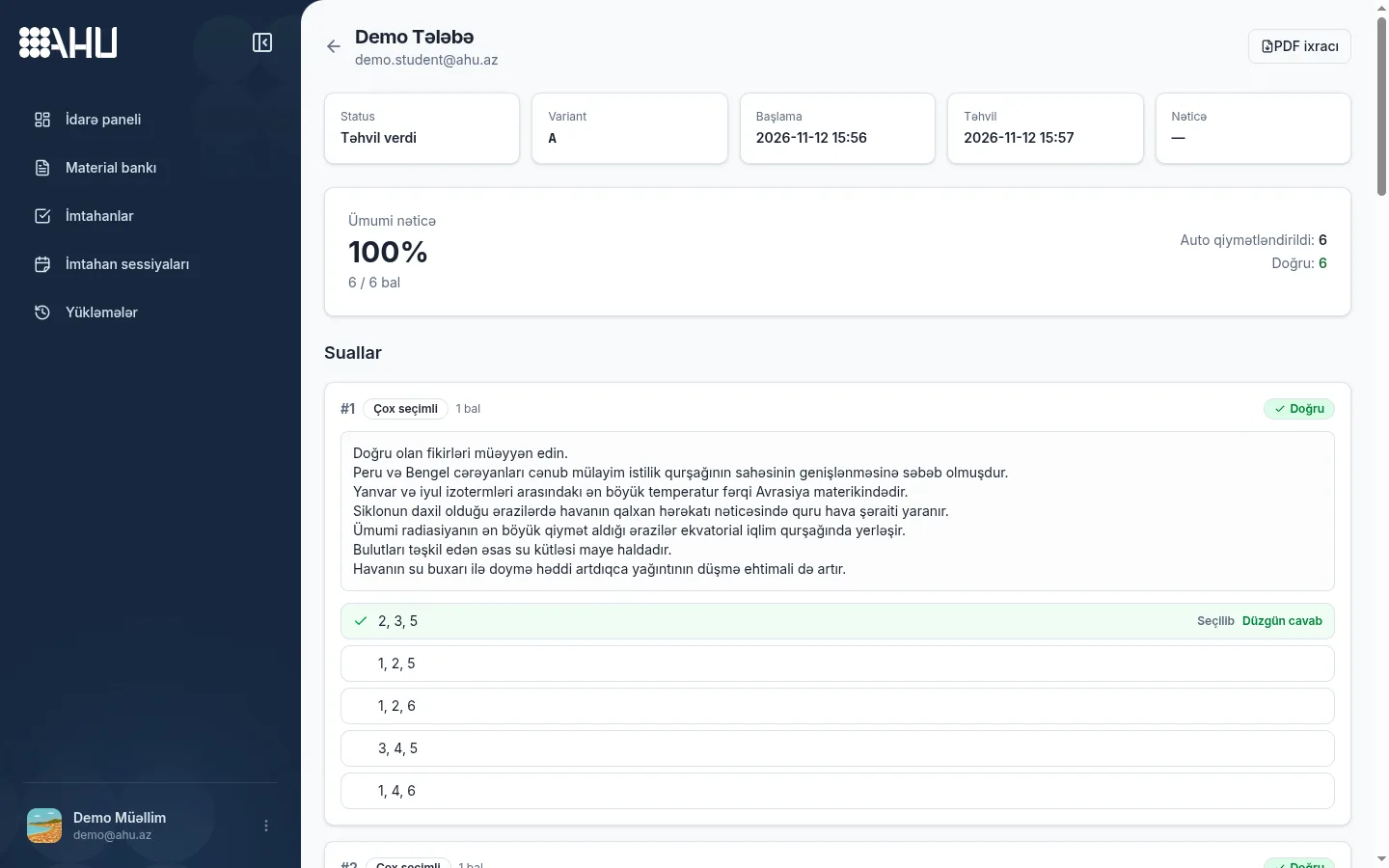
The score and percentage are ready as soon as a student finishes. The dashboard shows the score, percentage, auto-graded questions and violation log; you grade the open answers.
Filter the table and open any student's result. Each question shows the chosen answer, the correct answer, the points awarded and the grading status.
PDF reports start from the Expert plan for sole teachers, and from the Standard and Premium plans on firm plans.
- Score and percentage are calculated the moment the exam ends
- The question card shows the selected answer, the correct answer and the points awarded
- The violation journal keeps events together with a timeline
Ahu, Word, WhatsApp and Google Forms
This work can be done with various tools, but the whole exam flow is completed in only one place.
| Capability | Ahu | Word | WhatsApp / USB | Google Forms |
|---|---|---|---|---|
| Material bank | Yes, with AI import | File by file, by hand | A stream of messages and files | None |
| Live group session | Yes, with a join code | None | None | By sharing a form |
| Variants | 2–26 separate exams | Manual copies | Manual copies | None |
| Anti-cheat | 3 modes | None | None | Limited |
| Instant analytics | Yes | None | None | In the answers spreadsheet |
The platform in numbers
- question types
- 8
- variants
- 2–26
- anti-cheat modes
- 3
- languages: AZ, RU, EN
- 3
Frequently asked questions
What is the Ahu platform?
Ahu is an online exam platform for teachers and prep centers. The material bank, exam builder, live session joined by code and result analytics all work in one account.
Does a student need an account?
No. A student opens the link, enters a name and joins the exam. An account is an optional choice only for students who want to see the history of past exams.
Which files can I upload?
Upload a PDF document or an image. The system recognizes text, tables and formulas, and each question is written to the bank after confirmation. There is no need to copy from a Word file by hand.
How are variants assigned?
You pick 2–26 separate exams for the session, and each becomes a variant. Every student gets one at random, so the person next to them may get another.
When are results ready?
Closed answers are scored the moment the exam ends; open answers are added after the teacher grades them. PDF reports start at Expert for sole teachers and at Standard for firms.
Related pages
Run your first exam today
Create a material bank, choose a template and invite students with a code. The Free plan is enough to try the exam flow.