

Online exam system for teachers
The working week of a sole teacher is built as one flow. Questions in the bank become a weekly quiz, the class joins by code, and results appear the same day. Meanwhile, the bank grows a little richer every week.
Weekly quiz
The weekly quiz is not a long exam: a short check each day and a Friday summary. Every quiz comes from the same personal bank and gets its own session.
- 01 Review
Monday: reviewing last week
Pick 8-10 questions from the main topics of last week. The quiz runs in the first ten minutes of the lesson and immediately shows which topic needs revisiting.
- 02 New topic
Tuesday: a new topic
A ten-question test on the core concepts of the new topic. The result is ready before the lesson ends, and mistakes are discussed on the board.
- 03 Error analysis
Wednesday: analysing mistakes
Retake the same questions in a different order and explain each solution aloud. Each attempt is kept linked to the material in the bank.
- 04 Mixed
Thursday: mixed quiz
Questions from old and new topics together. The mixed quiz shows whether the review has really stuck.
- 05 Wrap-up
Friday: the week in summary
The final quiz of the week. The results table shows the score and time of every student, and the plan for the next week comes out of it too.
Personal material bank
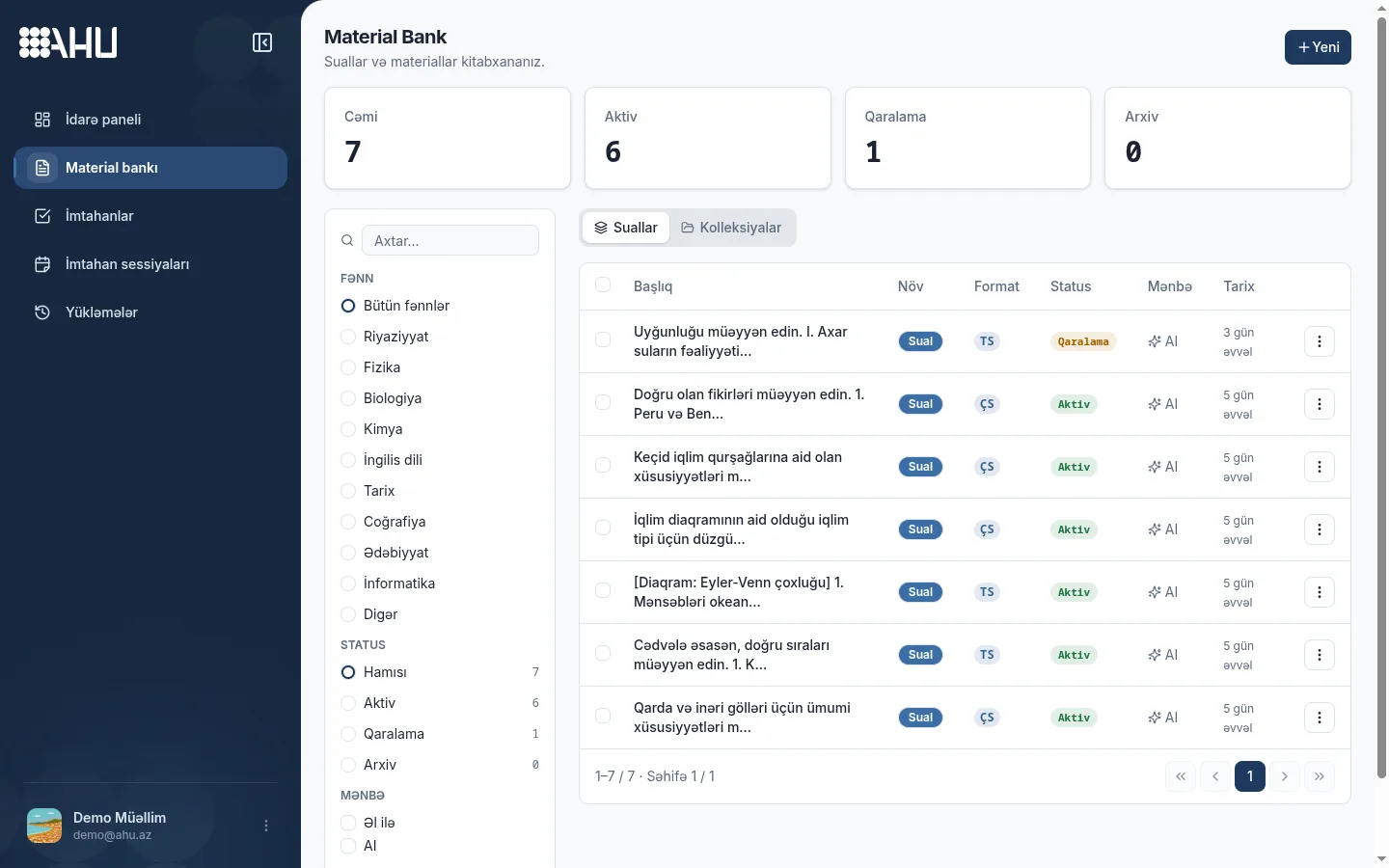
Questions, text blocks, images and tables live in one personal bank; no other teacher sees or changes it. Type a question by hand or upload a PDF or image.
After upload, the AI extracts the text, tables and images. You review every question before confirming it.
Confirmed material goes active, an unfinished question stays a draft, and an outdated one moves to the archive. As the bank grows, subject, status and source filters speed up the search.
Privacy and reuse
- The bank is personal: on a personal account, only you see your materials.
- Every material has a status: draft, active or archived.
- The review step before confirmation is always on.
Reuse
Fill the bank once; it keeps working. A question moves from quiz to class exam to revision, and you reuse existing questions in new combinations instead of writing new ones.
The cycle: pick from the bank, use it in an exam, read the result, archive. The result shows which question worked; the revised one returns to the bank, the rest stays.
Archiving does not mean deleting: old material is kept but does not appear in the active list.
Reuse loop
- 1 Bank Pick a question
- 2 Exam Class works
- 3 Result Score is read
- 4 Archive Material is kept
Class exam with variants
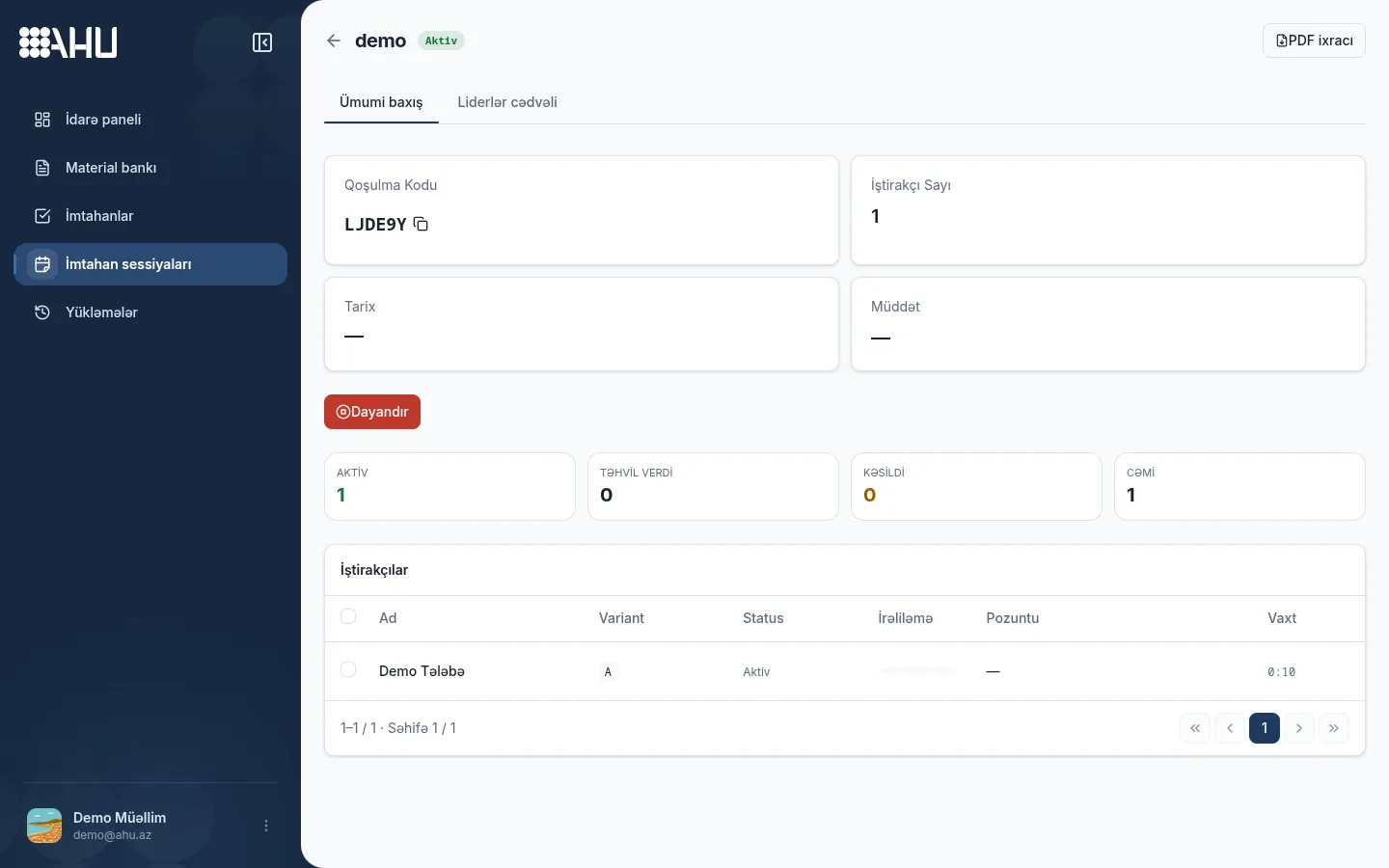
A join code is all a class exam needs. Students enter the code, type their names and land in the waiting room. No account, app or extra installation is required.
The code belongs to the exam session and is the same for the whole class. You start the exam when you are ready; a late-join window can stay open for those who join late.
In variant mode you pick 2–26 exams; each becomes a variant labeled A, B, C and goes to students at random. The live dashboard shows each student's variant.
Join code
LJDE9Y
The whole class enters the same code
Variants
2 – 26- A
- B
- C
- D
Neighbours get different variants
See results immediately
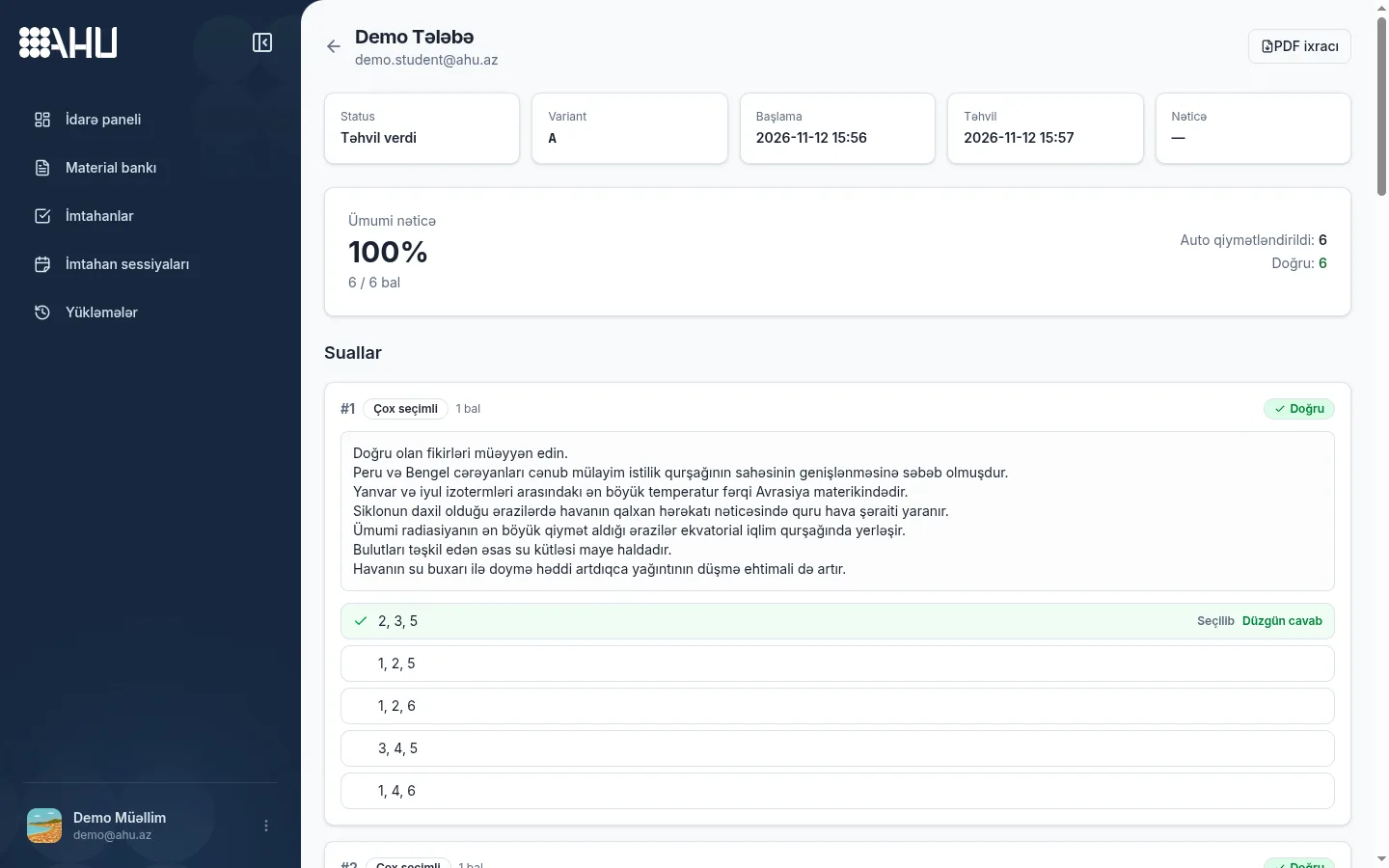
Closed questions are graded the moment the exam ends. Every student's score, percentage, times and violation log sit on one page, so you can show the summary while the class is still there.
You grade long answers by hand, and the total updates with each score. The PDF report is prepared in the background in the chosen language; sole teachers need Expert for export.
Sole teacher plan
A sole teacher gets four plans: Free, Starter, Professional and Expert. They differ in active exams, sessions, student limit and AI scans; billing is monthly, every 3 months or yearly.
Free is enough to start: 10 active exams, 30 sessions a month and 10 students per exam. Hitting a limit loses nothing; upgrade for a bigger class or more AI.
All plan limits and prices are shown side by side on the pricing page.
Free
0 AZN
10 active exams
Starter
5 AZN
50 active exams
Professional
10 AZN
150 active exams
Expert
18 AZN
400 active exams
Frequently asked questions
What plans are available for a sole teacher?
Four plans: Free, Starter, Professional and Expert. They differ in active exams, monthly sessions, student limit and AI scans; prices cover monthly, 3-month and yearly billing.
How is the weekly quiz set up?
Pick 8–10 questions, build an exam and set the duration and pass mark. Questions are reused, but each quiz gets its own session; a started session cannot be restarted.
Can materials be reused?
Yes, a confirmed question works in any number of exams; review the result, change the question, archive the old one and add the new one. Old attempts stay in the history.
How do students join by code?
The student enters the code in a browser, types a name and waits; no account or app. The class uses one code, you start, and latecomers can still join.
How can I share results with the class?
The results dashboard shows each student's score, percentage, time and answers by question. Open it with the class or download a PDF; export starts at Expert.
Related pages
Set up your weekly quiz this week
Pick questions from the bank, connect the class by code and see the results the same day. The Free plan is enough to start: 10 active exams and 30 sessions per month.